Security filters
Security filters are the simplest way to ensure row-level security is applied globally across all your data models. You pass a filters array when requesting a security token, and Embeddable automatically applies those filters to every query in the dashboard session — with no changes to your data models required.
The key advantage is that enforcement is guaranteed: if a filter cannot be applied to a query (for example, because there is no join path to the filtered model), the query fails with an error rather than silently returning unfiltered data. This means non-technical team members can build models and dashboards freely without risking accidental data exposure.
Adding security filters
Pass a filters array in your Tokens API request:
fetch('https://api.<region>.embeddable.com/api/v1/security-token', {
  method: 'POST',
  headers: {
    'Content-Type': 'application/json',
    'Accept': 'application/json',
    'Authorization': `Bearer ${apiKey}`
  },
  body: JSON.stringify({
    // ...
    filters: [{
      member: "customers.id",
      operator: "equals",
      values: ["5"],
    }]
  })
})
Filter fields
member
The model field to filter on. This can be a dimension or measure, referenced in <model>.<field> notation (e.g. customers.id, orders.region).
operator
How the field is compared to the values.
| Operator | Explanation |
|---|---|
equals | Member equals the given value(s). |
notEquals | Member does not equal the given value(s). |
contains | Case-insensitive substring match. |
notContains | Inverse of contains. |
startsWith | Prefix match. |
endsWith | Suffix match. |
gt | Greater than a numeric value. |
gte | Greater than or equal to a numeric value. |
lt | Less than a numeric value. |
lte | Less than or equal to a numeric value. |
inDateRange | Time member is within the given range. |
notInDateRange | Excludes rows within the given range. |
beforeDate | Strictly before the given timestamp. |
afterDate | Strictly after the given timestamp. |
set | Member is NOT NULL (omit values). |
notSet | Member is NULL (omit values). |
Authoritative list of operators is here (opens in a new tab).
values
What the field is compared against. Always an array. If the operator is set or notSet, omit this field.
Examples:
["123"]["United States", "Germany"]["2025-08-23"]["2025-01-01", "2025-03-31"]Testing your security filters
To try out different filter configurations in the no-code builder, define presets in your repo at src/presets/security-contexts.sc.yml (here (opens in a new tab)):
- name: Nike
  securityContext: {}
  filters:
    - member: customers.id
      operator: equals
      values: [ abc23478 ]

- name: Adidas
  securityContext: {}
  filters:
    - member: customers.id
      operator: equals
      values: [ 99 ]
Each entry appears under the "View as" dropdown in the builder:
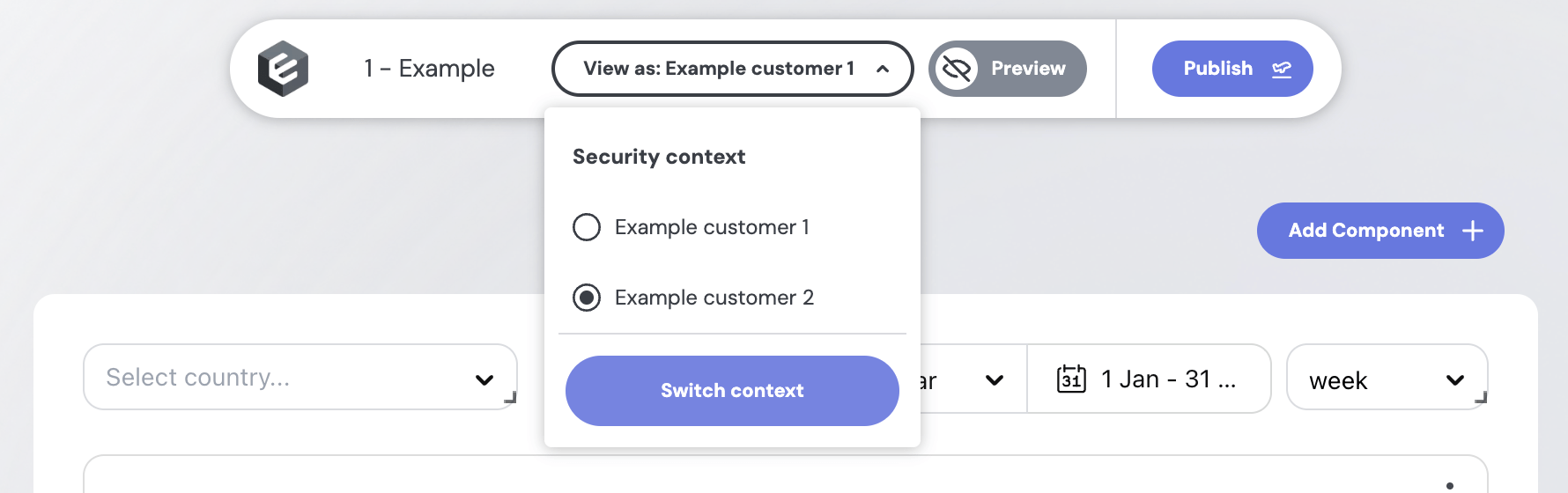
Switch between presets to verify each user only sees the rows their filter allows.
Other row-level security methods
- SQL-based row-level security – the recommended approach if you want control of row-level (or table / schema-level) security at the model level.
- Access Policies – a more scalable approach, when you have a lot of complex models, particularly powerful when combined with Views.