🚀 What’s New in Embeddable
September 2026
1. Export dashboards as PDF (Beta)
You can now render a published dashboard server-side and download it as a print-quality PDF using the new Dashboard Export API. This feature is in Beta — APIs and behaviour may still change.
It's ideal for scheduled reports, email attachments, and archiving — and because you export with a security token, every PDF respects the same row-level security, filters and context as the embedded dashboard.
- Async API: start a job, poll for status, download from a temporary link
- Control the render with viewport width, variable overrides, client context and styles
- Enabled with a new
export: trueflag on the Tokens API
Learn more in the Dashboard Export API guide.
August 2026
1. Keyboard navigation across the platform
The Embeddable workspace is now fully operable from the keyboard. We rebuilt focus handling from the ground up — a consistent focus ring, a "skip to main content" link, and proper keyboard and ARIA support for modals, dropdowns, selects, multi-selects, radios, tags, text fields, the code editor and list re-ordering.
2. Connected environments and per-connection Cube versions
The data connection screens now show a Connected environments table, so you can see at a glance which environments a connection is serving. You can also pick the Cube version a connection uses and have it applied when you test the connection, rather than only at publish time.
3. Connection concurrency
Query concurrency is now a dedicated field on a data connection instead of a hidden setting, so you can tune how many queries Embeddable runs against your warehouse in parallel.
Learn more about Connecting your database here.
4. Faster building in Custom Canvas
Small things that add up when you build a lot of dashboards:
- Search the templates list in the Custom Canvas builder
- Duplicate a widget from the dashboard toolbar, or a card in the template library
- Deleting a measure or dimension in a template form no longer reloads the page
Learn more about Building a Custom Canvas here.
5. Filter builders that follow your app
FilterBuilderPro and FilterBuilderWithGroupingPro gained an opt-in Track default filters setting. With it on, the component adopts host-driven changes to defaultFilters after mount — so you can switch between saved filter sets, or reset them, without remounting the embed. Both components also emit embeddable-user-interaction events for analytics.
See the Remarkable Pro changelog for the full list.
June–July 2026
1. AI Chatbot and AI Endpoints
Your end users can now ask questions of their data in plain language. The AI Chatbot component drops into a dashboard and answers from your data models, and the AI Endpoints let you build your own conversational experience on top of the same engine.
Learn more about the AI Chatbot and the AI Endpoints.
2. Build with AI
New guides for using AI coding assistants with Embeddable, covering the two places it saves the most time:
3. A Self-serve section in the docs
Everything about letting your end users build their own dashboards — Custom Canvas, Starter Canvas, and the AI experiences — now lives in one place, and the Getting Started, Development and Components sections were restructured around the journey rather than the feature list.
Start at the Self-serve introduction.
4. Microsoft Fabric
Microsoft Fabric joins the list of supported data warehouses.
Learn more about Connecting your database here.
5. Export options per component
Components can now declare which export options they offer, configurable from the builder's component settings.
Learn more about Export options here.
6. Saved version metadata endpoint
A new endpoint returns metadata for a saved dashboard version, so your CI/CD can inspect what it is about to publish.
Learn more about the Versions API.
April–May 2026
1. Dashboards as Code
Define dashboards in your repository, version them with your application, and push them with the CLI — the same workflow you already use for components and data models. We also published a tutorial for driving it with a Claude skill.
Learn more about Dashboards as Code and building dashboards with AI.
2. Schemas API
Programmatic access to your data model schemas, for tooling, validation and automated checks.
Learn more about the Schemas API.
3. FILTER_PARAMS
Push dashboard filters down into the SQL of a data model, so expensive queries are filtered at the source rather than after the fact.
Learn more about FILTER_PARAMS.
4. Time zones, properly
Time zone support now runs through the Remarkable Pro components themselves: KPIs, charts, gap-filling and the date range pickers all anchor to the reporting time zone from clientContext instead of UTC.
Learn more about Time zones here.
5. Five new chart types
Scatter, Bubble, Area, Bar + Line combo, and a Line Comparison chart with KPI tabs — plus sort and limit controls on bar charts, and a FilterBuilderPro component for building filter clauses on the dashboard.
See the Remarkable Pro changelog for details.
6. AWS PrivateLink
For customers who would rather not expose their warehouse to the public internet, Embeddable can now connect over AWS PrivateLink. Talk to us if you would like it enabled.
February–March 2026
1. Drill-down
Click a chart and open a deeper view of what you just clicked — configured in the builder, with variable overrides passed from the source widget to the drill-down target, and previewed before you publish.
Learn more about Drill-down, or watch the Quick Hit tutorial.
2. Starter Canvas
A pre-built starting point for end-user dashboard building: ship your users a canvas that already has widgets on it, instead of a blank page.
Learn more about Starter Canvas here.
3. The Remarkable Pro changelog, in the docs
Every Remarkable Pro release is now published to the handbook automatically, so you can see exactly what changed between versions without leaving the docs.
Read the Remarkable Pro changelog.
4. Security Filters as the primary row-level security method
We reworked the row-level security docs to lead with Security Filters, which are simpler to reason about than hand-written SQL for the majority of cases. Access Policies and SQL-based RLS are still fully supported.
Learn more about Security Filters.
5. Custom fonts in themes
Load your own font into a Remarkable Pro theme, rather than working around the bundled ones.
Learn more about Fonts here.
6. A new look
Embeddable has a new logo, a new typeface pairing and a refreshed workspace background.
December 2025 – January 2026
1. Remarkable Pro
Our new component library. Remarkable Pro is a complete, themeable set of analytics components — KPIs, line, bar and stacked charts, pivot tables with sub-rows, heatmaps, scrollable and paginated tables, date range pickers with presets, granularity selectors, markdown blocks and layout helpers — built on design tokens so it matches your product rather than ours.
Learn more about Remarkable Pro.
2. Vanilla Components moves to Legacy
With Remarkable Pro available, Vanilla Components moved into its own Legacy section of the docs. Existing dashboards keep working; new projects should start with Remarkable Pro.
See the Vanilla Components section.
3. Generate data models from SQL
Paste a SQL query and get a data model back, instead of writing the YAML by hand.
Learn more about generating data models.
4. Angular and Vue
Official guidance and wrappers for embedding in Angular and Vue, alongside the existing React and TypeScript support.
Learn more about Embedding.
5. One-command setup
npx @embeddable.com/init scaffolds a working Embeddable project, and the onboarding flow in the workspace was rebuilt around it.
Learn more in the Quick start guide.
6. Quick Hits video tutorials
Short, single-topic videos covering datasets, dataset filters, variables and the debug button.
Browse the Quick Hits.
October–November 2025
1. Custom Canvas is generally available
Custom Canvas came out of preview — the "coming soon" banners are gone and the docs cover the whole thing: building it, theming it, and what your end users see.
Learn more about Custom Canvas and the end-user experience.
2. dbt and Cube Cloud
A full guide to using Embeddable with Cube Cloud and dbt, plus expanded pre-aggregation documentation covering indexes, rollup_join and when each kind of pre-aggregation pays off.
Learn more about using Cube Cloud with dbt and pre-aggregations.
3. countRows in loadData
Get the total row count alongside a page of results, without a second query.
Learn more about loading data.
4. Embedding with TypeScript and React
A dedicated section on embedding in a typed React codebase, including the typed wrapper around the web component.
Learn more about Embedding.
5. Extending types
Extend Embeddable's native input types with your own, so component inputs can speak your domain's language.
Learn more about extending types.
September 2025
We’ve been hard at work improving Embeddable! Here’s a roundup of the latest features and enhancements designed to help you build, manage, and secure dashboards more efficiently.
1. Save dashboard and publish to different environments
You can now save an Embeddable dashboard as a version and publish it to different environments. Publish dashboards to dev, staging, or prod, and even run it all through your CI/CD.
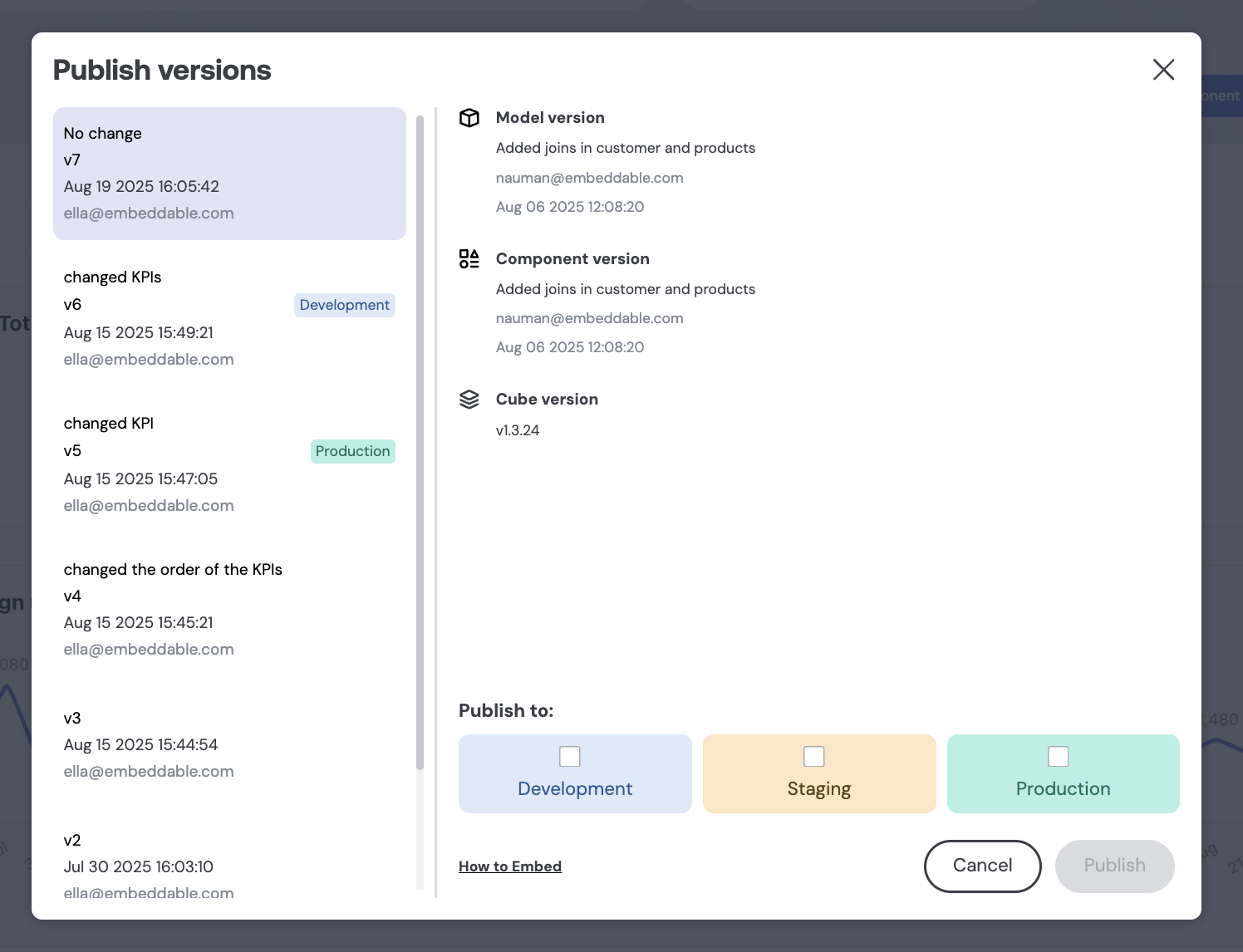
Learn more about Saving versions here, and Publishing dashboards here.
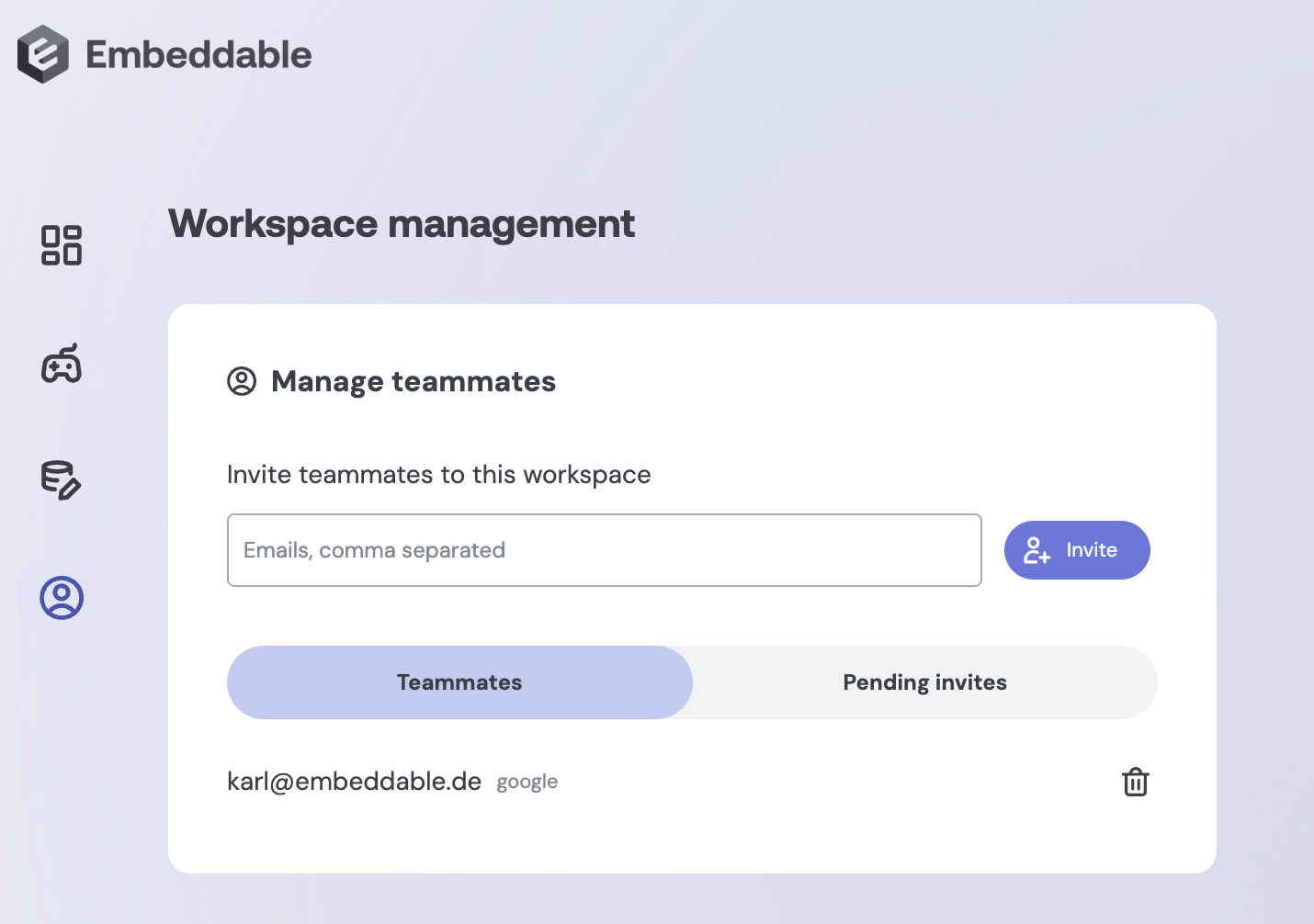
2. Workspace management
Manage team member access to Embeddable workspace under 'Manage team' menu option.
3. Data Access Policies
Access Policies make enforcing row-level security powerful, flexible, and safe. Reusable and applied at runtime, they support nested filters, role-based logic, and automatically guard against SQL injection.
With Access Policies, you can:
- Assign multiple roles per user without complex SQL workarounds
- Apply conditional rules (e.g., only for admin users) easily
- Build complex nested filters (AND/OR combinations) in a maintainable way
- Automatically handle user-provided values safely, protecting against SQL injection
We continue to support traditional SQL-based RLS, but Access Policies make it easier to manage security at scale.
Learn more about Data Access Policies here.
4. Point at different Cube deployments
Embeddable now lets you connect to multiple Cube deployments — either staging/preview branches or completely separate deployments — so you can test changes safely, manage different environments, and switch between data providers in the builder.
Learn more about Multiple Cube deployments here.
5. Timezone support
You can now set a specific timezone for Embeddable dashboards.
This ensures all users see data in a consistent “reporting timezone,” avoiding confusion from browser-based timezones and supporting accurate aggregations across global teams.
- Pass a standard timezone string in clientContext and loadData for timezone-aware queries
- Default timezone remains UTC for backwards compatibility and omitted values
- Handles timezones globally, including daylight saving changes
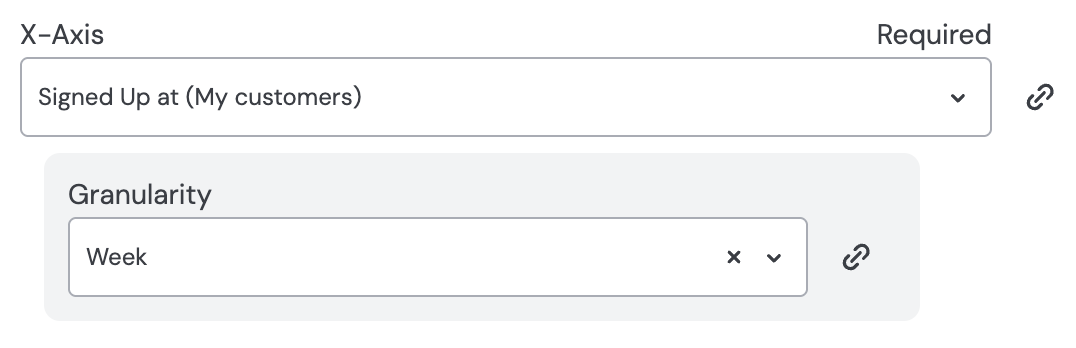
6. Time granularity when choosing a time dimension
Pick a time dimension and select granularity (second, minute, hour, day, week, month, quarter, year). Works in the chart builder or in data playground.
July 2025
In the last months we shipped several updates to make building and managing dashboards more intuitive and flexible. From improvements to the data modeling experience to new ways to configure inputs and control versioning, here’s a quick look at what’s new.
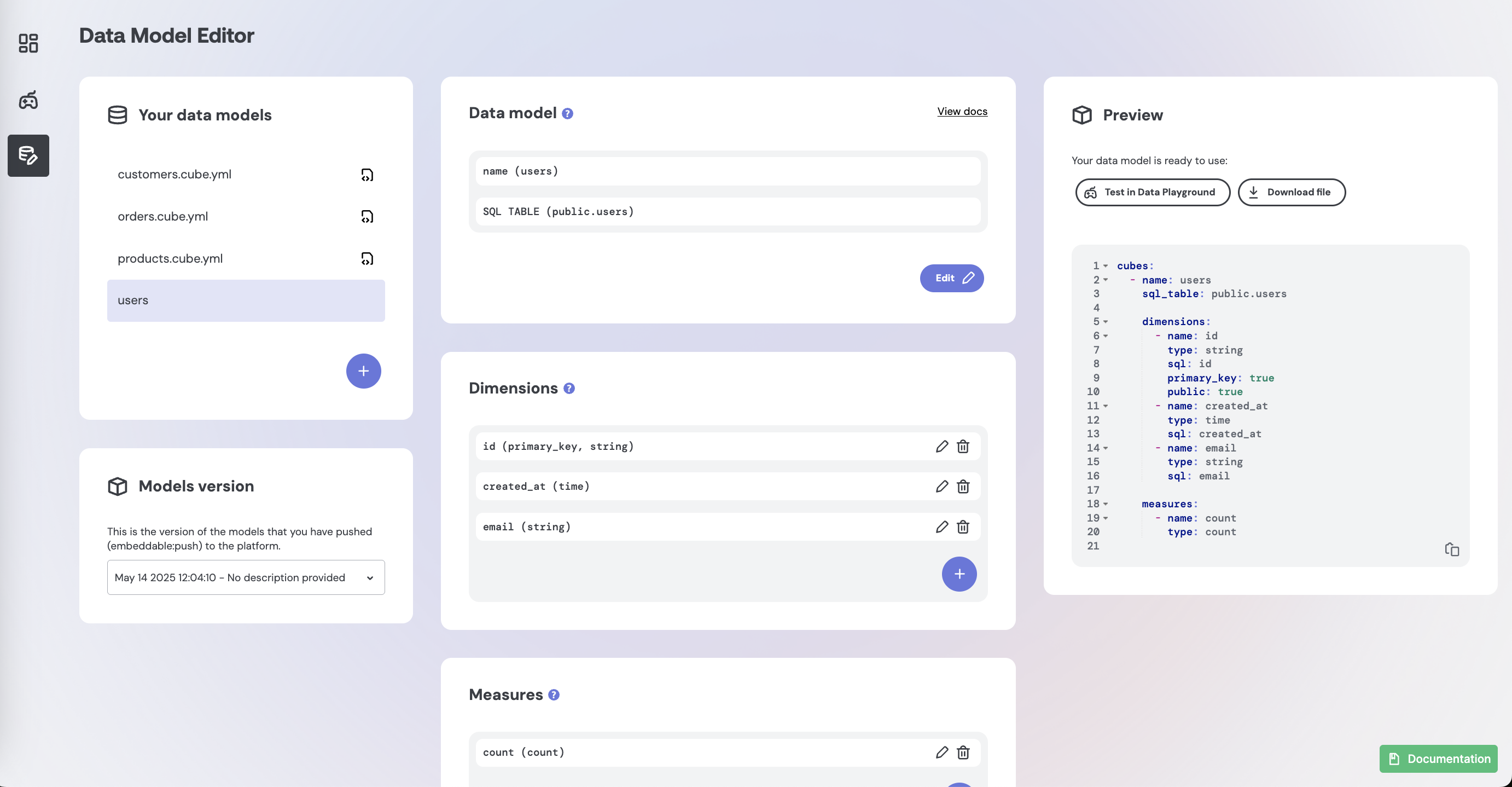
1. Data Model Editor
You can now create and edit data models directly in Embeddable.
Why it matters:
This makes it easier to define models and build dashboards faster, especially for teams getting started.
What’s new:
- Create, edit, and delete no-code models
- View read-only previews of code-managed models
- Visual editing for models, joins, dimensions, and measures
- Inline YAML preview with copy/download
Learn more about Data Model Editor here.
2. Cube Version Picker
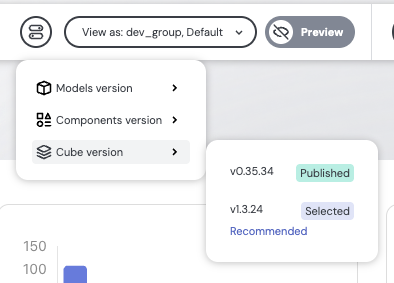
Control exactly which Cube.js version your dashboards use.
Why it matters:
Test safely before going live and avoid breaking changes from upstream Cube updates.
What’s new:
- New "Cube version" picker in Builder and Playground
- Default is latest, but you can switch freely
- Live embeddables only update after you publish with a selected version
3. Sub Inputs for Dimensions & Measures
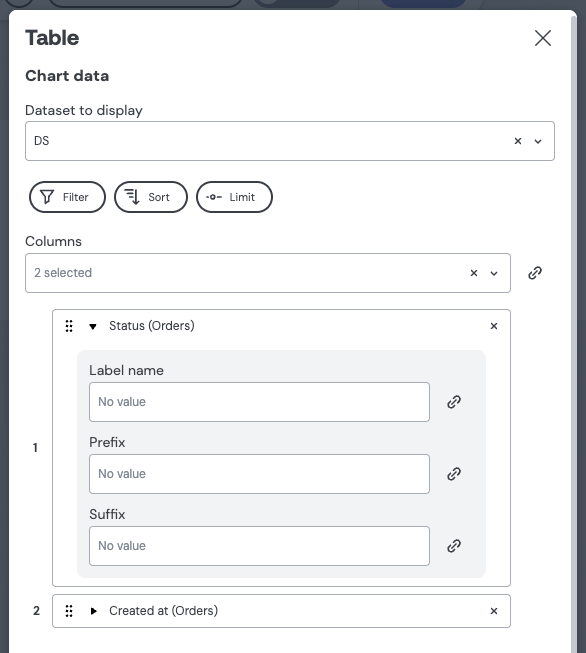
You can now define custom sub inputs per dimension or measure in chart configurations.
Why it matters:
Allows specifying a number of additional settings (e.g. title / granularity / rounding / etc.) per dimension or measure in components.
examples:
- Add a prefix/suffix to string fields
- Customize date formatting for time fields
- Rename columns with user-friendly labels
Learn more about Sub Inputs for Dimensions & Measures here
4. Dimension & Measure Variables
You can now use dimensions and measures as variables and link them directly as inputs to dashboard components.
Why it matters:
A popular feature that teams want to be able to implement is the ability to allow end-users to dynamically change the measures or dimensions that are being shown on a dashboard. E.g. you could have a dropdown containing a list of dimensions or measures, and then when users switch to another dimension or measure, all the charts update to show that dimension or measure. This is now easy to do in Embeddable.
What’s new:
- New variable types: “Dimension”, “Measure”, and “Dimension or Measure” available in the variable type dropdown.
- Select from all available dimensions or measures across your models, with support for single or multi-select.
- Easily link these variables as inputs to components, just like other variable types.
Learn more about Dimensions & Measures as variables here
5. In-App AI Support (Powered by Inkeep)
We’ve added an AI assistant across the platform so you can get help instantly—without leaving the app.
Why it matters:
Search across docs, FAQs, roadmap, and changelogs without needing to message us.
What’s new:
- ‘Ask AI’ button in the top-right corner of the Embeddable platform, or bottom-right in the documentation
- AI pulls answers from all support content