SQL-based row-level security
With SQL-based row-level security, you encode security logic directly into your data models using a security context — a JSON object you pass when requesting a security token. Use this approach when you need control over how different models filter data.
The securityContext is arbitrary JSON passed to the Tokens API and can contain any fields your models need:
fetch('https://api.<region>.embeddable.com/api/v1/security-token', {
  method: 'POST',
  headers: {
    'Content-Type': 'application/json',
    'Accept': 'application/json',
    'Authorization': `Bearer ${apiKey}`
  },
  body: JSON.stringify({
    // ...
    securityContext: [{
      userId: 45,
      orgIg: "9sZSJ9LHsiYXR0cmlidXRlIjoiZ2VvaXBf",
      countries: ["us-east", "eu-west"],
    }],
    // ...
  })
})
It's then available inside your data models via COMPILE_CONTEXT.securityContext:
cubes:
  - name: orders
    title: "Orders"
    sql: >
      SELECT * FROM public.orders
      WHERE org_id = '{ COMPILE_CONTEXT.securityContext.orgId }'
      AND user_id = { COMPILE_CONTEXT.securityContext.userId }
Or, if your customer data is split by database schema:
cubes:
  - name: orders
    title: "Orders"
    sql_table: "{ COMPILE_CONTEXT.securityContext.orgId }.orders"
Jinja (docs (opens in a new tab)) is used under the hood to compile these models into SQL. The { ... } notation is replaced before the query is sent to your database. For example, with securityContext: { orgId: "abc123" }:
cubes:
  - name: customers
    sql: >
      SELECT *
      FROM public.customers
      WHERE orgId = '{ COMPILE_CONTEXT.securityContext.orgId }'
compiles to:
SELECT *
FROM public.customers
WHERE orgId = 'abc123'
Conditional SQL
Jinja also supports conditional logic for more advanced scenarios:
cubes:
  - name: customers
    title: "My customers"
    sql: >
      SELECT *
      FROM public.customers
      {% if COMPILE_CONTEXT.securityContext.superUser %}
        WHERE 1 = 1
      {% else %}
        WHERE organisationId = '{ COMPILE_CONTEXT.securityContext.organisationId }'
      {% endif %}
For users flagged as superUser, the compiled SQL becomes:
SELECT *
FROM public.customers
WHERE 1 = 1
Multiple Values
When your security context contains an array (e.g. a list of allowed countries), use the list helper:
cubes:
  - name: customers
    title: "My customers"
    sql: >
      SELECT *
      FROM public.customers
      WHERE country IN {{ list(COMPILE_CONTEXT.securityContext.countries) }}
If countries is ["United States", "Canada", "Mexico"], the resulting SQL looks like:
SELECT *
FROM public.customers
WHERE country IN ('United States', 'Canada', 'Mexico')
Testing your SQL-based security
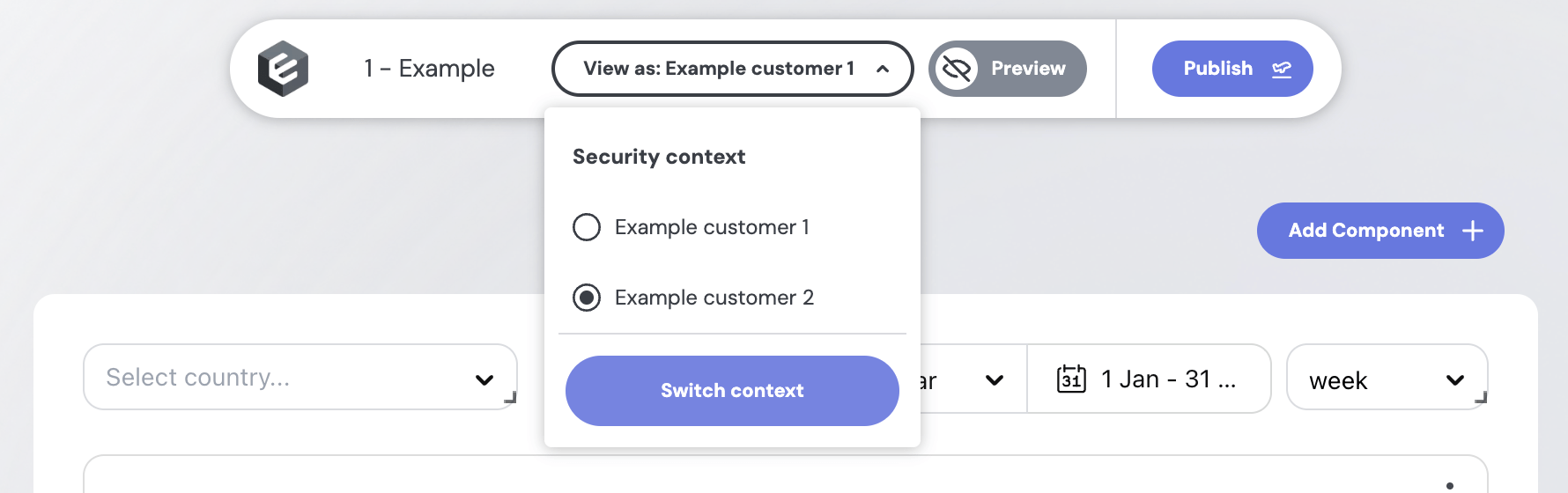
To try out different security contexts in the no-code builder, define presets in your repo at src/presets/security-contexts.sc.yml (here (opens in a new tab)):
- name: Acme Corp
  securityContext:
    orgId: acme-corp
    userId: 45

- name: Globex
  securityContext:
    orgId: globex
    userId: 99
    superUser: false
Each entry appears under the "View as" dropdown in the builder. Switch between presets to verify that the right WHERE clauses are being applied — for example, that a user from Acme Corp can't see Globex's rows.
Other row-level security methods
- Security filters – the simplest way to enforce row-level security globally across all your data models, without any changes to your SQL.
- Access Policies – a more scalable approach if you start using Views and want role-based security.